













How to Shoot Cinematic B-Roll Video with HOVERAir
|
|
Time to read 7.071111111111111 min
|
|
Time to read 7.071111111111111 min
When you scroll through travel vlogs or short videos online, have you noticed that the most polished videos aren’t just people talking to the camera? The secret that makes videos feel smooth, cinematic, and full of emotion is B-roll.
Whether you’re shooting travel, food, sports, or lifestyle content, learning how to use B-roll is the first step toward creating professional-looking videos. In this guide, we’ll walk you through what B-roll is, why it matters, practical shooting tips, and how to naturally use HOVERAir to take your visuals to the next level.
At its core:
Why B-roll matters:
Example: Imagine you’re filming a travel vlog:
A-roll
Talking to camera: “We just arrived in the Maldives!”
Notice how the story instantly becomes more immersive and visually rich?
B-roll
Waves crashing, drone flying over the boardwalk, hands touching the water, sunset sky changing colors
Professional videos often combine three types of B-roll:
| Category | Example Shots | Purpose |
| Establishing shot | Wide shot, Aerial drone shot, Panoramic view | Shows where you are, sets the scene and context |
| Detail shot | Close-up, Macro, Hand/Action details | Captures small objects, gestures, textures, or expressions for visual richness |
| Motion/Transition shot | Push-in / Pull-out, Side tracking, Orbit, Fly-through | Connects scenes smoothly, adds rhythm, depth, and motion |
Combining these three types keeps the viewer engaged and makes your video feel like a story rather than a series of clips.
Want your videos to look cinematic? It all comes down to three essentials: composition, camera movement, and rhythm. Even simple shots can feel professional when you get these right.
Good composition makes your shots visually engaging:
Dynamic movement turns ordinary shots into cinematic moments:
3️⃣ Rhythm & Pace: Edit with Flow The right rhythm gives your B-roll emotion and energy:
While phones and handheld cameras can capture B-roll, HOVERAir offers advantages that elevate your shots naturally:
Here’s a practical HOVERAir B-roll shot reference table, showing common drone moves, their visual effects, and recommended HOVERAir modes:
| Camera Move / Shot | Visual Effect | HOVERAir Applicable Mode |
| Push in | Enhance immersion, draw viewer into scene | Zoom Out (second half) |
| Pull out / Retreat | Reveal environment, open up space | Zoom Out |
| Orbit around subject | Establish visual focus, highlight subject | Orbit Mode |
| Low sweep | Create sense of speed and motion,Showcase breathtaking landscapes, dramatic ground views, or ocean scenes from a low-flying perspective. | Manual |
| Top-down / Bird’s Eye | Geometric beauty, sense of order | Bird's Eye Mode |
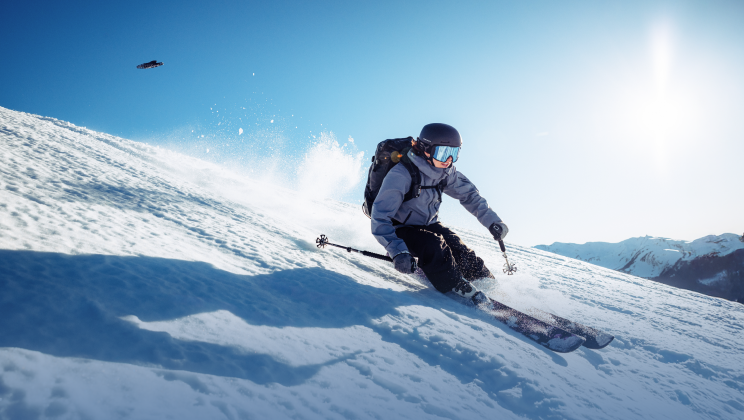
| Follow movement | Emphasize action and motion | Follow Mode / Ski / Cycling Mode (low -height setting available) |
| Subject passes stationary camera | Natural contextual shot | Hover Mode |
💡 Tips for Use:
Here are practical B-roll approaches for different shooting situations:
✅ Travel (Beach / City / Mountain) B Roll
✅ Sports (Skiing / Running / Cycling) B Roll
✅ Lifestyle (Camping / Family / Cooking) B Roll
✅ Real Estate / Commercial Spaces B Roll
Shooting B-roll is only half the work. Editing it effectively completes the cinematic feel:
B-roll isn’t complicated—it’s intentional. With a little planning, understanding of camera movement, and thoughtful editing, you can turn ordinary footage into cinematic stories.
And with tools like HOVERAir, you can effortlessly capture professional-grade B-roll, even if you’re shooting solo. The key isn’t just recording moments—it’s creating stories that your audience can feel.
Latest Articles

Most drones handle the sky beautifully, but they become fragile the second they encounter a lake or a heavy splash of sea spray. If you want to know what kind...
Most drones handle the sky beautifully, but they become fragile the second they encounter a lake or a heavy splash of sea spray. If you want to know what kind...

Ever searched for a drone that can automatically follow your kayaking trips? If you ask around, most people will tell you it's impossible without a skilled pilot on the beach...
Ever searched for a drone that can automatically follow your kayaking trips? If you ask around, most people will tell you it's impossible without a skilled pilot on the beach...

The HOVERAir AQUA has been designed with the water fully in mind. In addition to the technical challenges of creating a fully waterproof drone under 250g, we also carefully considered...
The HOVERAir AQUA has been designed with the water fully in mind. In addition to the technical challenges of creating a fully waterproof drone under 250g, we also carefully considered...

HOVERAir VERSA combines handheld filming and self-flying capture in one compact device. This guide covers everything you need to get started, from setting up your VERSA to capturing your first...
HOVERAir VERSA combines handheld filming and self-flying capture in one compact device. This guide covers everything you need to get started, from setting up your VERSA to capturing your first...

The standard advice for filming a solo water session is always the same: skip the drone and buy a 360 camera on a long stick. Until recently, that was the...
The standard advice for filming a solo water session is always the same: skip the drone and buy a 360 camera on a long stick. Until recently, that was the...

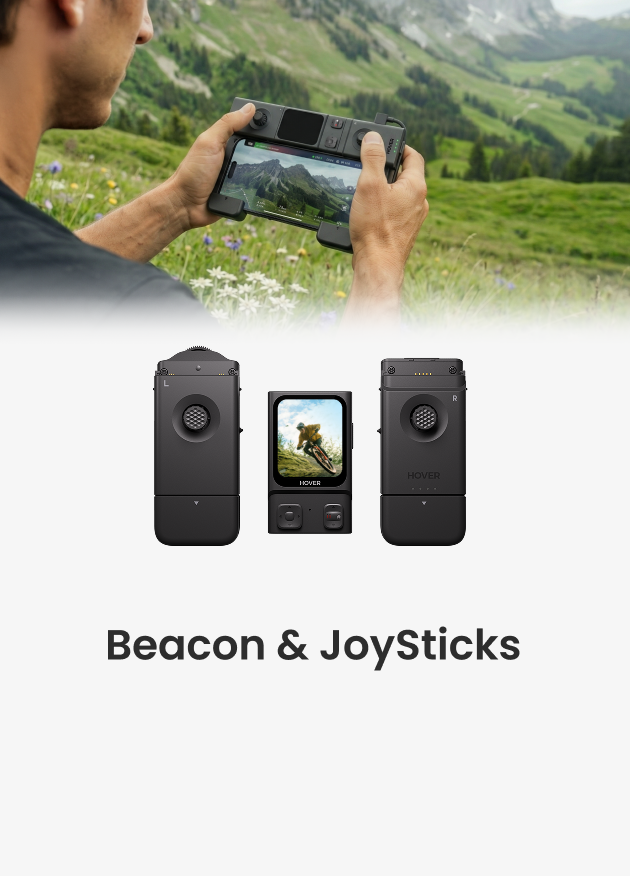
The Beacon and JoySticks serve as HOVERAir's all-new remote control solution, fully compatible across our entire lineup—from the X1 and X1 PRO/PROMAX to the AQUA. Acting as a unique tri-state...
The Beacon and JoySticks serve as HOVERAir's all-new remote control solution, fully compatible across our entire lineup—from the X1 and X1 PRO/PROMAX to the AQUA. Acting as a unique tri-state...


