















7 Creative Video Transition Ideas by HOVERAir X1 PRO &PROMAX
|
|
Time to read 6.52 min
|
|
Time to read 6.52 min
In today’s ever-evolving world of social media, pacing and visual flow have become essential to crafting videos that truly stand out. A great transition doesn’t just bridge one shot to the next — it shapes the rhythm of your story, elevates simple moments, and turns everyday clips into something expressive and captivating.
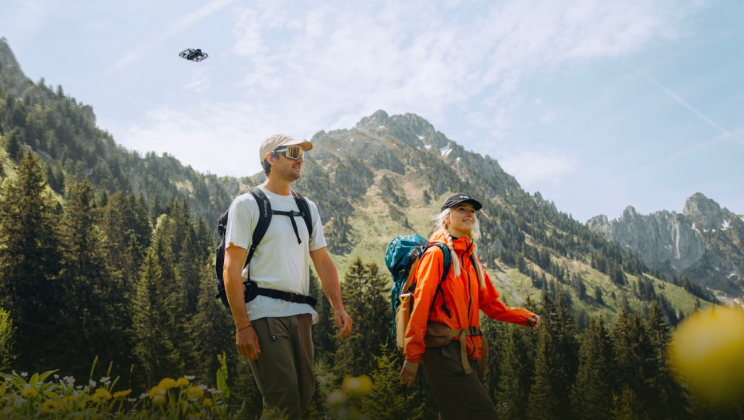
With intelligent flight modes like Orbit, Follow, Hover, Zoom Out, and Dolly Zoom, the HOVERAir X1 PRO and PROMAX give creators the freedom to capture professional-looking transitions without complicated drone skills. Whether you're traveling, exploring the outdoors, showing an OOTD, or filming a fun moment with friends, these modes help you create videos that look polished, immersive, and uniquely your own.
This guide highlights seven creative transitions perfect for the HOVERAir X1 PRO and PROMAX, complete with examples and shooting inspiration — so the next time you fly, you can shoot with intention and elevate your storytelling effortlessly.
Best for: travel, city walks, landscapes, location changes The full Orbit circles around you with beautifully fluid motion. All you have to do is stay in position. Later in editing, stitching half-orbit clips taken across different locations creates a smooth 360-degree scene-switch that feels cinematic and satisfying.
Creative ideas:
Shooting tips:
Example: IG Video: https://www.instagram.com/p/DJo7j9aI57h/
Best for: outfit changes, location switches, couple or friend transitions The Half Orbit has a quicker pace and is easier to synchronize — which explains why it’s one of the most popular transitions on TikTok and Instagram. Its rhythm feels lively, energetic, and perfect for short-form content. Creative ideas:
@arturkramer_ Ad* When fashion meets the orbit effect. You can easily get this effect with the HoverAir X1 Promax @HOVERAir Official #travel #fashion #style Which style is your fav guys ? 😎 #drone #dronelife ♬ Originalton - Arturkramer
@omarspaneshi Family outfit check with the 360 spin mode of @HOVERAir Official 😍 #hoverair #x1promax #familyoutfits #outfitcheck ♬ sonido original - Jess González
Shooting tips:
Tutorials: https://www.tiktok.com/@iamjoeanderson/video/7545126841166597431 https://www.instagram.com/reel/DObTKBaDLm2/
@iamjoeanderson 🚁 Ready to elevate your content creation game? 🌟 Don’t miss out on this mind-blowing 180º effect tutorial using the HoverAir X1 ProMax and CapCut! 📹 🎥 Here’s why this drone and effect combo is a game-changer for VFX: ✨ Effortless Creation: The HoverAir X1 ProMax makes it super easy to capture stunning aerial shots that will wow your audience. Just fly and let the magic happen! 🛠️ CapCut Magic: Pairing this drone with CapCut allows you to add jaw-dropping transitions and edits seamlessly. Transform your basic footage into cinematic masterpieces in minutes! 🌈 Unleash Your Creativity: Whether you’re a beginner or a pro, this tutorial opens the door to endless possibilities. Get ready to create content that stands out on any platform! 💡 Pro Tip: Try experimenting with different angles and movements to enhance the 180º effect even further. The sky's the limit! 💬 Have you tried using drones for your videos? What’s your favorite VFX trick? Share your thoughts below! 👇 #hoverair, #x1promax #capcutedit #vfx @HOVERAir Official #CapCut ♬ original sound - iamjoeanderson
Best for: OOTD, landmark shots, subject + scenery harmony Front Orbit captures only 120°–160° in front of the subject, creating a subtle “swinging” motion that feels stylish and dynamic. It’s perfect for showcasing outfits or integrating the subject with iconic scenery.
Creative ideas:
Tips:
Example: https://www.tiktok.com/@kayleeslagus/video/7543722551667592503
@kayleeslagus My new favorite way to show my outfits @HOVERAir Official #HOVERAir, #HOVERAirX1PROMAX #SelfFlyingCamera #OriginalFlyingCamera #drone ♬ original sound - Prince Lex 🪄
Best for: location reveal, space storytelling, close-up → wide-angle shots Zoom Out transitions create a sense of discovery — a dramatic reveal as the camera pulls back into a larger world. The X1’s automated trajectory keeps everything smooth, while PROMAX’s 8K clarity and 7-layer lens strengthen the depth and perspective.
Creative ideas:
Editing tips:
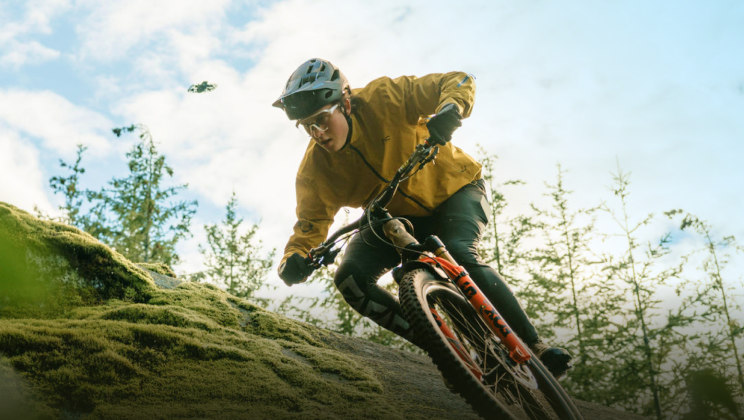
Best for: skiing, cycling, running, street videos, daily vlogs Follow mode keeps the camera locked onto you with consistent direction and angle, making it ideal for match-action cuts. The continuity creates a natural flow that feels energetic and effortless.
Creative ideas:
Tutorial: https://www.tiktok.com/@leecbowling/video/7553024292347251999
@leecbowling Running match cut done with the hover air x1 pro max! I’ve loved using this drone! There’s a link in my bio to get yours! @HOVERAir Official #hoverair##hoverairx1 #hoverairx1promax #drone #vfx ♬ original sound - Lee Bowling
Best for: storytelling scenes, mood-driven vlogs, architecture, nature Few transitions carry as much cinematic weight as the Dolly Zoom. The shifting background creates a dramatic pull-and-stretch effect that instantly changes mood. With HOVERAir’s automated Dolly Zoom mode, even beginners can produce film-like shots with ease.
Great for:
Best for: fun edits, friend interactions, mini skits, outfit swaps Hover mode keeps the frame completely still — perfect for magical swaps. Simply record two identical shots:
Cut them together and the results feel playful, surprising, and instantly shareable.
Advanced ideas:
Transitions aren’t just editing techniques — they’re a creative language. With the HOVERAir X1 PRO and PROMAX, intelligent flight modes help you capture stable, smooth, and visually expressive transitions that shape your narrative with rhythm and style. To enhance your content even further, try:
With the right movement and the right idea, every transition becomes a moment of magic — and every video becomes a story worth watching.
Latest Articles

Most drones handle the sky beautifully, but they become fragile the second they encounter a lake or a heavy splash of sea spray. If you want to know what kind...
Most drones handle the sky beautifully, but they become fragile the second they encounter a lake or a heavy splash of sea spray. If you want to know what kind...

Ever searched for a drone that can automatically follow your kayaking trips? If you ask around, most people will tell you it's impossible without a skilled pilot on the beach...
Ever searched for a drone that can automatically follow your kayaking trips? If you ask around, most people will tell you it's impossible without a skilled pilot on the beach...

The HOVERAir AQUA has been designed with the water fully in mind. In addition to the technical challenges of creating a fully waterproof drone under 250g, we also carefully considered...
The HOVERAir AQUA has been designed with the water fully in mind. In addition to the technical challenges of creating a fully waterproof drone under 250g, we also carefully considered...

HOVERAir VERSA combines handheld filming and self-flying capture in one compact device. This guide covers everything you need to get started, from setting up your VERSA to capturing your first...
HOVERAir VERSA combines handheld filming and self-flying capture in one compact device. This guide covers everything you need to get started, from setting up your VERSA to capturing your first...

The standard advice for filming a solo water session is always the same: skip the drone and buy a 360 camera on a long stick. Until recently, that was the...
The standard advice for filming a solo water session is always the same: skip the drone and buy a 360 camera on a long stick. Until recently, that was the...

The Beacon and JoySticks serve as HOVERAir's all-new remote control solution, fully compatible across our entire lineup—from the X1 and X1 PRO/PROMAX to the AQUA. Acting as a unique tri-state...
The Beacon and JoySticks serve as HOVERAir's all-new remote control solution, fully compatible across our entire lineup—from the X1 and X1 PRO/PROMAX to the AQUA. Acting as a unique tri-state...